

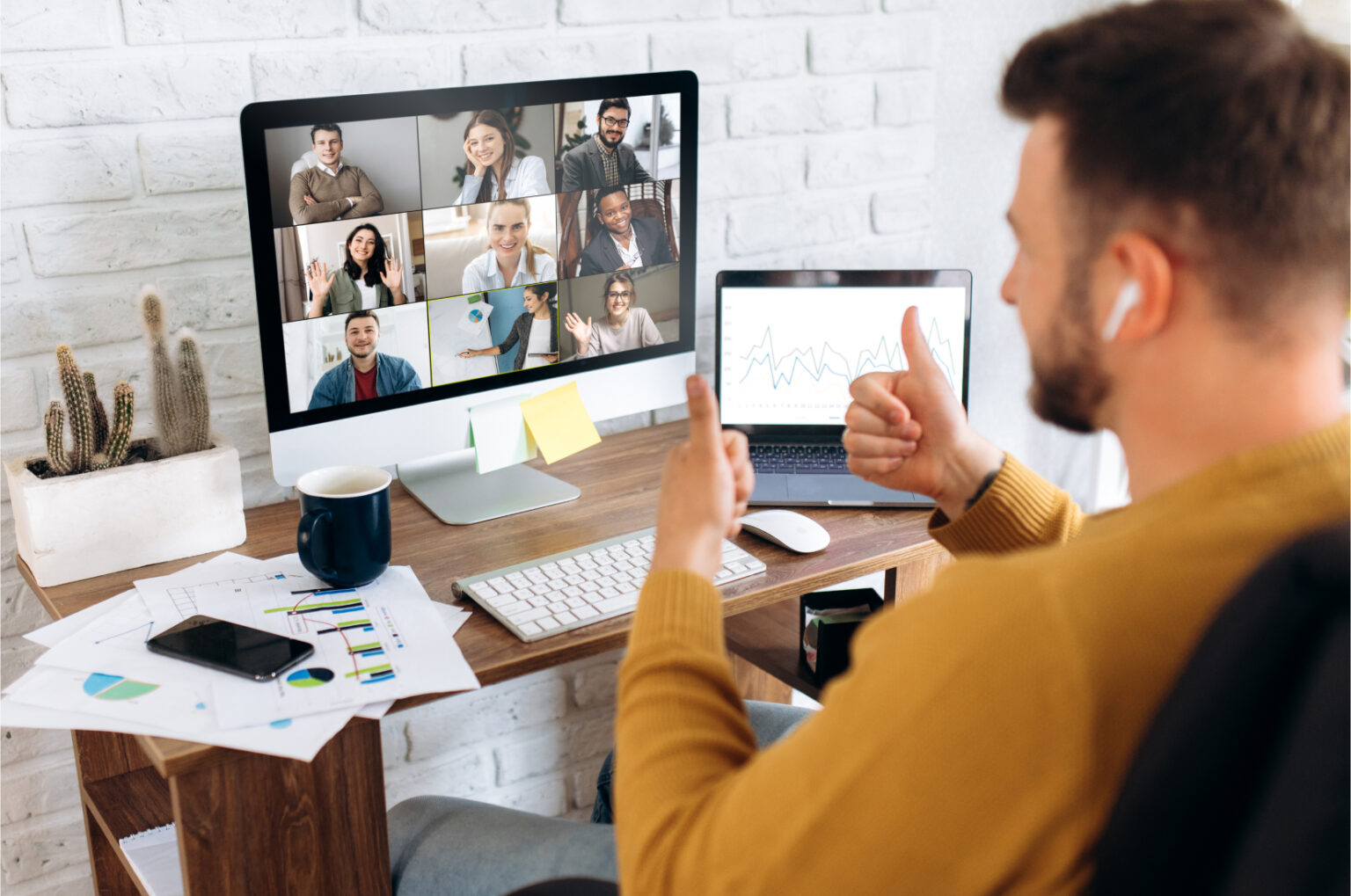
Hot desking has become one of the most important elements of the modern office. In companies that work in a hybrid model, it is increasingly rare for every employee to have their own permanently assigned desk. Instead, teams use flexible workstations that can be booked when they are actually needed.
This solution has many advantages. It allows companies to make better use of space, reduce the number of empty desks, and adapt the office to the real rhythm of the team’s work. However, this model also raises a very practical question:
Where should employees store their belongings if they no longer have their own workstation?
A laptop, documents, headphones, a notebook, personal items, an access card, a charger, project materials — in a traditional office, these were often left at a specific desk or in a locker assigned to the employee. In a hot desking model, this approach no longer works.
This is why Smart Lockers, or intelligent employee lockers, are becoming increasingly important. They are a solution that complements hot desking and makes a flexible office not only modern, but above all convenient, secure, and well organized.
What Is Hot Desking?
Hot desking is an office organization model in which employees do not have permanently assigned desks. Instead, they use available workstations depending on when they come to the office.
In practice, this means that one day an employee may work at a desk in a quiet work zone, another day closer to the project team, and on another day use a shared area or a room designed for conceptual work.
Hot desking is particularly popular in companies that have implemented a hybrid work model. Since part of the team works remotely and part comes to the office only a few days a week, maintaining one desk for every employee often stops being efficient.
Thanks to hot desking, a company can:
make better use of available office space,
reduce the number of unused workstations,
respond flexibly to organizational changes,
support collaboration between teams,
create a more dynamic and modern work environment.
However, for this model to really work, it needs the right technological and organizational support.
Hot Desking Without a System Can Quickly Turn Into Chaos
The idea of flexible desks sounds good. The problem appears when a company implements hot desking without clear rules and without tools that help manage office space.
Employees may then ask very specific questions:
- How do I know which desk is available?
- Can I book a workstation in advance?
- Where should I leave my personal belongings?
- What should I do with my laptop if I am going to a meeting after work?
- Where should I store documents that I cannot leave on a desk?
- Will my belongings be safe if I do not have my own place?
Without answers to these questions, hot desking may be perceived not as a convenience, but as an obstacle. Instead of flexibility, uncertainty appears. Instead of better organization, randomness takes over. Instead of comfort, employees feel that every day they have to “organize their office” from scratch.
That is why hot desking should not be introduced merely as a single change in desk layout. It is part of a broader Smart Office ecosystem, in which desk booking systems, meeting room management, access control, and Smart Lockers are also important.
Why Are Smart Lockers a Natural Addition to Hot Desking?
In a traditional office, employees often had their own desk, their own drawer, their own mobile pedestal, or a fixed locker. In a hybrid office, this logic changes.
If the desk is not assigned to a specific person, the storage space should also be flexible. This is exactly where Smart Lockers come in.
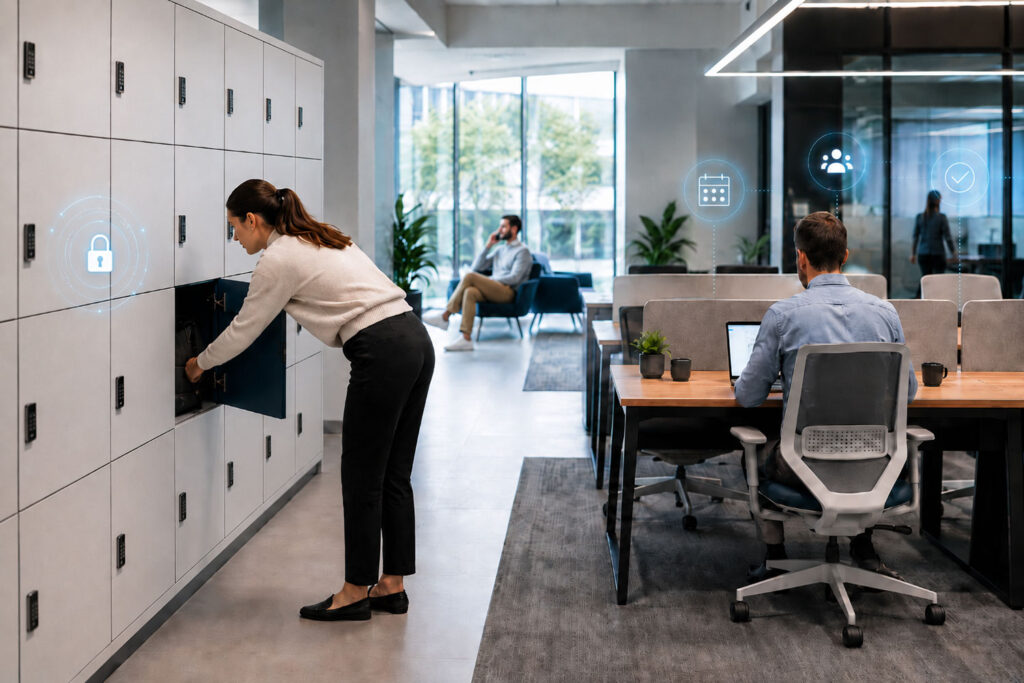
Smart Lockers are intelligent employee lockers that can be booked, opened, and managed digitally. They can work with a mobile app, an access card, a PIN code, a QR code, or an office management system.
This allows employees to use a locker when they are actually in the office. They do not need a permanently assigned locker if they only come to the company two or three days a week. At the same time, the company can manage the number of available lockers more efficiently and adapt them to the actual use of the office.
This is especially important in organizations where employees rotate, teams change locations, and office space is designed flexibly.
How Do Smart Lockers Work in an Office With Hot Desking?
In a modern office, Smart Lockers can be part of one coherent process.
An employee plans a day of work in the office. In an app or Smart Office system, they book a desk, check meeting room availability, and then use an available locker where they can safely store their belongings.
Depending on the implemented solution, Smart Lockers may allow users to:
- book a locker for a specific day,
- assign a locker for the duration of an employee’s presence in the office,
- open a locker using a mobile app,
- open a locker with an employee access card,
- use a PIN or QR code,
- automatically release the locker after the booking ends,
- manage access through an administrator,
- check locker usage in an administrative panel.
As a result, Smart Lockers are not just a piece of furniture. They are part of a digital office space management system.
What Does the Employee Gain?
From the employee’s perspective, the greatest value is convenience. Hot desking works well when employees do not feel that they are losing control over their workplace.
Smart Lockers help maintain this comfort because they give employees a safe and accessible place for their belongings.
An employee can leave a laptop, charger, documents, bag, headphones, personal items, or materials needed for a meeting in a locker. They do not have to carry everything around all day or leave things on a random desk.
This is particularly important when the workday consists of many activities: desk work, meetings, workshops, conversations with the team, breaks, and moving between different office zones.
Smart Lockers therefore increase the sense of security and order. Employees know that their belongings are in one place and that access to them is controlled.
What Does the Company Gain?
For an organization, Smart Lockers are not only a convenience for the team, but also a tool for better office management.
The company can analyze how many lockers are actually being used, on which days occupancy is highest, and whether the number of available storage spaces matches employees’ real needs.
This is important because in a hybrid model it is not always necessary to provide a separate locker for every person. If employees come to the office on a rotating basis, a Smart Lockers system allows resources to be used more efficiently.
The company gains:
- better organization of space,
- more order in the office,
- fewer items left on desks,
- greater security for documents and equipment,
- the ability to manage access,
- data on actual locker usage,
- greater flexibility during organizational changes.
This is particularly important for office managers, facility managers, HR departments, and people responsible for workplace experience.
Smart Lockers and the Security of Documents and Equipment
In hybrid offices, security becomes especially important. If an employee does not have a fixed desk, they should not leave documents, a laptop, or project materials at a publicly accessible workstation.
This applies especially to companies that work with customer data, HR documentation, contracts, offers, technical projects, financial documents, or confidential internal materials.
Smart Lockers help reduce the risk associated with leaving items on desks. Access to the locker is digitally controlled, and the administrator can manage permissions from the system level.
Compared with traditional key-operated lockers, a digital solution is much more flexible. There is no need to duplicate keys, replace locks, or worry that a key has been lost or handed over to an unauthorized person.
Smart Lockers Improve Employee Experience
A modern office should be designed not only in terms of space, but also in terms of employee experience. Employee experience begins with simple things: easy entry to the office, efficient desk booking, an available meeting room, clear space signage, and a secure place for personal belongings.
If employees have to wonder every day where to sit and where to leave their things, the office stops being convenient. Instead of supporting work, it starts generating small frustrations.
Smart Lockers solve one of the very practical problems of hybrid work. Thanks to them, employees can use the office freely while still having a sense of private, secure space.
This is especially important when a company wants to encourage people to come to the office more often. Employees are more likely to use a space that is well organized, intuitive, and comfortable.
Smart Lockers and Desk Booking – a Duo for the Hybrid Office
Hot desking works best when it is connected with a desk booking system. Employees should be able to check workstation availability in advance and book a place that matches their needs.
However, desk booking alone does not solve the entire problem. The issue of storing belongings still remains.
That is why desk booking systems and Smart Lockers complement each other very well. Desk booking answers the question: where am I working today? Smart Lockers answer the question: where can I safely leave my belongings?
In a well-designed hybrid office, both solutions should work together. Employees can plan their presence in the office, choose a workstation, use a locker, and move around the space without feeling that everything is chaotic.
This is when a Smart Office becomes more than just a collection of separate tools. It starts functioning as a coherent ecosystem.
Does Every Employee Need Their Own Locker?
Not always. This is one of the most important reasons why Smart Lockers are so well suited to hot desking.
In a traditional model, it was easy to apply the rule: one person = one locker. In a hybrid office, this does not always make sense. If some people work remotely, some come to the office twice a week, and others use the office only occasionally, permanently assigning lockers can lead to unused space.
A flexible model is a better solution. Employees use a locker when they are in the office. At the end of the day or booking period, the locker can be released and made available to another person.
This means the company does not have to invest in too many lockers, while employees still have access to storage space when they really need it.
Where Is the Best Place to Locate Smart Lockers in the Office?
The location of lockers has a major impact on how often they are used. Even the best system will not be convenient if the lockers are placed somewhere employees rarely go.
Smart Lockers should be located where employees naturally move, for example:
- near the office entrance,
- close to the reception area,
- next to hot desking zones,
- near cloakrooms,
- close to common areas,
- on floors with the largest number of workstations,
- near meeting rooms or project zones.
A well-planned location makes using Smart Lockers a natural part of the workday, not an additional obligation.
The Most Common Mistakes When Implementing Hot Desking Without Smart Lockers
Companies that implement hot desking sometimes focus mainly on desks and forget about employees’ everyday needs. This can lead to organizational problems.
The most common mistakes include:
No Space for Personal Belongings
Employees have nowhere to leave their bags, laptops, documents, or accessories. As a result, items end up on desks, windowsills, chairs, or in random lockers.
Too Few Lockers
If there are too few lockers, employees quickly lose trust in the system. A solution that was supposed to organize the space begins to generate frustration.
No Clear Rules of Use
Employees should know whether a locker is available for one day, a few hours, a week, or a longer period. Lack of rules causes conflicts and blocks available resources.
Traditional Lockers in a Flexible Office
Key-operated lockers may work in simple cases, but in a hybrid office they are often not flexible enough. They are harder to manage, harder to analyze in terms of usage, and harder to adjust quickly when access permissions need to change.
No Integration With Other Systems
If the company uses desk booking, access control, or an employee app, Smart Lockers should be part of a larger ecosystem. Separate, disconnected solutions can make everyday use more difficult.
How to Implement Smart Lockers With Hot Desking
The implementation of Smart Lockers should start with an analysis of how the organization works. It is not only about the number of employees, but also about how often and in what way they use the office.
1. Check What Employee Presence in the Office Looks Like
The most important questions are:
- How many employees regularly use the office?
- On which days is occupancy highest?
- Which teams work on-site most often?
- Do employees need lockers for the whole day or only for a few hours?
- Are there office zones that require additional storage space?
Only on this basis can the real demand be determined.
2. Define the Smart Lockers Usage Model
Smart Lockers can operate in different ways. They can be assigned temporarily, made available on demand, booked in advance, or allocated to specific user groups.
In hybrid offices, the flexible model usually works best, where the locker is available when the employee is actually present in the office.
3. Connect Smart Lockers With Desk Booking
If the company uses desk booking, it is worth ensuring that both processes are consistent. Employees should be able to easily plan their presence in the office: book a desk, check resource availability, and use a locker.
This reduces chaos and improves the user experience.
4. Choose a Convenient Access Method
Smart Lockers can be operated using a mobile app, an access card, a PIN code, or a QR code. The choice of method should depend on how employees already use the office today.
If the company uses access cards, using them is natural and intuitive, and this should be the starting point. If the organization is developing an employee app, a natural direction may be to operate lockers from a phone.
5. Prepare Communication for Employees
Even the best technology requires proper implementation. Employees should know how to use Smart Lockers, what the booking rules are, and what happens after they finish using a locker.
Good communication reduces resistance to change and increases adoption of the new solution.
6. Analyze Data After Implementation
After launching the system, it is worth regularly checking how employees use Smart Lockers. Data helps assess whether the number of lockers is sufficient, which locations are most popular, and whether changes to the usage rules are needed.
This is a major advantage of digital solutions over traditional lockers. The company does not have to act on assumptions — it can make decisions based on real data.
Smart Lockers as Part of a Modern Smart Office
Hot desking, desk booking, Smart Lockers, room booking, access control, e-reception, and visitor management should not function as separate elements. They provide the greatest value when they create one coherent system.
In this model, employees do not have to wonder how to use the office. Everything is available in an organized and intuitive way.
They can book a desk, check room availability, welcome a guest, use a locker, and move around the office without unnecessary barriers.
For the company, this means greater control over space, better data, a higher level of security, and the ability to flexibly adapt the office to the organization’s changing needs.
Which Companies Benefit Most From Smart Lockers?
Smart Lockers are especially useful for organizations that:
- work in a hybrid model,
- use hot desking,
- do not have assigned desks,
- want to manage office space more effectively,
- have large teams rotating between home and the office,
- need a secure place for equipment and documents,
- want to improve employee experience,
- are planning an office modernization,
- are implementing Smart Office solutions.
This solution can be useful both in large corporations and in smaller companies that want to build a modern, flexible work environment from the beginning.
Hot Desking and Smart Lockers – Summary
Hot desking gives companies flexibility, but on its own it does not solve all the challenges of the hybrid office. Employees still need a place where they can safely store their belongings, documents, and equipment.
Smart Lockers are the answer to this need. They support work organization, increase employee comfort, improve security, and help the company manage office space more effectively.
In a modern office, it is no longer only about how many desks there are. What matters is the entire ecosystem: the way workstations are booked, the availability of meeting rooms, document security, employee convenience, and data that helps make better decisions.
That is why Smart Lockers are becoming a natural addition to hot desking and one of the key elements of a well-designed Smart Office.
If your company is implementing hybrid work or planning to reorganize its office space, it is worth looking at Smart Lockers not as additional equipment, but as a practical tool that brings order to the everyday work of the entire organization.
FAQ
What Is Hot Desking?
Hot desking is an office organization model in which employees do not have permanently assigned desks. They use available workstations depending on when they come to the office.
What Are Smart Lockers?
Smart Lockers are intelligent employee lockers that can be operated digitally, for example using a mobile app, an access card, a PIN code, or a QR code.
Why Are Smart Lockers Important for Hot Desking?
In a hot desking model, employees do not have a fixed workstation, so they need a flexible and secure place to store personal belongings, documents, and equipment.
Can Smart Lockers Work With a Desk Booking System?
Yes. Smart Lockers can be part of a larger Smart Office system and work together with desk booking, room booking, access control, or an employee app.
Does Every Employee Need Their Own Locker?
Not always. In a hybrid office, Smart Lockers can be used flexibly, meaning only when an employee is actually present in the office.
What Can Be Stored in Smart Lockers?
Smart Lockers can be used to store items such as a laptop, documents, chargers, bags, personal belongings, project materials, or accessories needed for work.
Do Smart Lockers Increase Office Security?
Yes. Smart Lockers help reduce the risk of leaving documents and equipment on desks. Access to lockers can be digitally controlled and managed by an administrator.
Which Companies Are Smart Lockers Best Suited For?
Smart Lockers are especially suitable for companies working in a hybrid model, using hot desking, managing large office spaces, or implementing Smart Office solutions.
Do Smart Lockers Improve Employee Comfort?
Yes. Employees gain a convenient and secure place for their belongings, which reduces chaos and improves the everyday experience of using the office.
How Should Smart Lockers Be Implemented in a Company?
The implementation should start with an analysis of employee presence in the office, defining the number of lockers needed, choosing the access method, integrating the lockers with the office system, and preparing communication for the team.

Business Development Coordinator