Smart Building - one system for your office building

Bring parking, access control, visitor management and space booking together in one Smart Building platform. Make your office building easier to use and manage every day for both building managers and tenants.

SMART BUILDING SYSTEM

Connect your building, people and everyday processes.

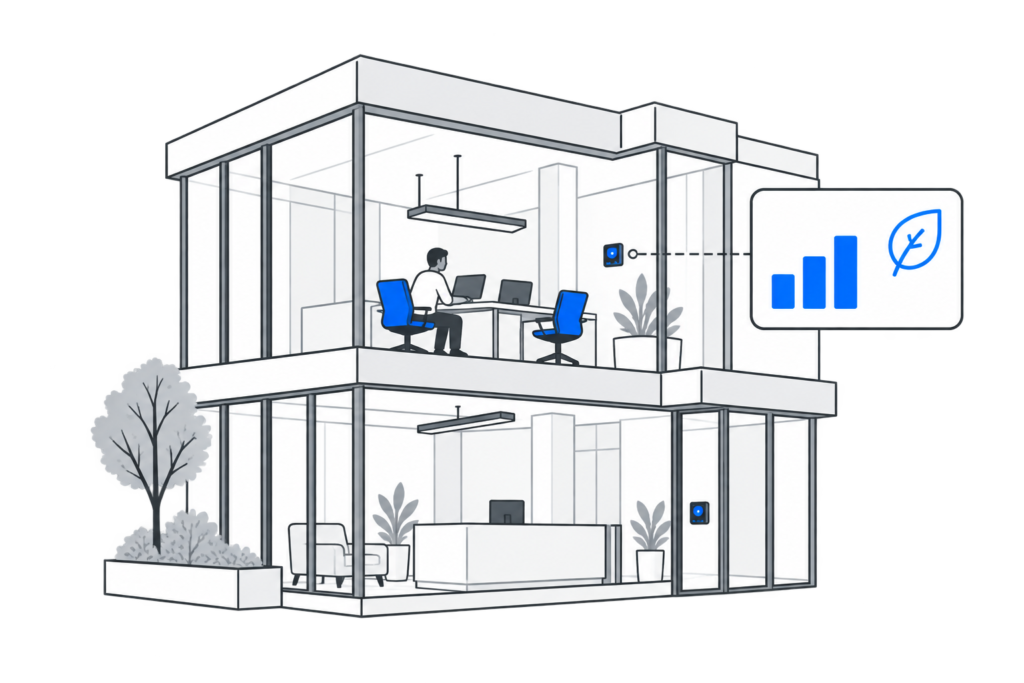
URVE Smart Building connects space booking and visitor management with your building’s systems. Employees and visitors enjoy a more convenient experience, while building managers and tenants can coordinate daily operations more efficiently.

Choose the modules and integrations that suit your building’s infrastructure and how it is used.

User convenience

Book parking spaces, desks and meeting rooms, and access the spaces you need more easily — all within one platform.

More efficient service

Streamline visitor invitations, reception operations and access permissions management through integration with your building’s systems.

Data-driven decisions

Use resource utilisation reports to plan and organise your available space more effectively.

HOW DOES IT WORK?

From entering the car park to meeting in the office.

Connect every stage of a visit to your building – from booking a parking space, through entry and visitor management, to using workspaces.

01

Plan your arrival

Book a parking space before you arrive. When the system is integrated with your parking infrastructure, your booking can also grant vehicle access.

02

Enter the building and reach your floor

Check in at the digital reception and access designated areas. Scan the QR code you received to call the lift – it will take you to your assigned floor without having to select it on the panel. Features depend on the building’s integrations and configuration.

03

Book a workspace

Find and book a desk and locker for your time in the office. Check availability in advance so you don’t have to look for a free space when you arrive.

04

Organise a meeting

Choose an available meeting room and invite participants. The panel by the entrance lets you check the room’s status and availability.

SYSTEM CAPABILITIES

What would you like to improve in your building?

Choose solutions that meet your building’s needs. Connect parking, visitor management and workspaces with your building’s infrastructure – tailored to your organisation’s requirements.

Visitor management and digital reception

Make it easy to invite visitors, let them check in independently and notify hosts when they arrive.

Access control

Integrate the system with access control. Use virtual credentials and manage user permissions.

Parking barriers and cameras

Streamline vehicle access for employees and visitors by integrating the system with parking barriers and cameras.

Displays in buildings and lifts

Show announcements and multimedia content on screens in reception areas, lifts and shared spaces throughout the building.

Smart lockers

Provide lockers that can be booked and opened via the app. Manage availability and usage rules.

Parking space booking

Make it easier to plan the journey to the office. Let employees choose available parking spaces on an interactive map.

Meeting room booking

Streamline meeting room bookings. Make it easy to choose a room and check its availability on the panel by the entrance.

Desk booking

Help employees plan their day in the office. Make it easy to choose and book a workspace.

Vehicle and resource booking

Organise the sharing of company cars, equipment and resources. Manage availability and bookings.

CONVENIENCE AND MANAGEMENT

Convenience for users. Control for managers.

Employees need easy access to spaces and services. Building managers and tenants need tools to organise work and manage resources. URVE Smart Building brings these needs together in one platform.

Plan your day in the building

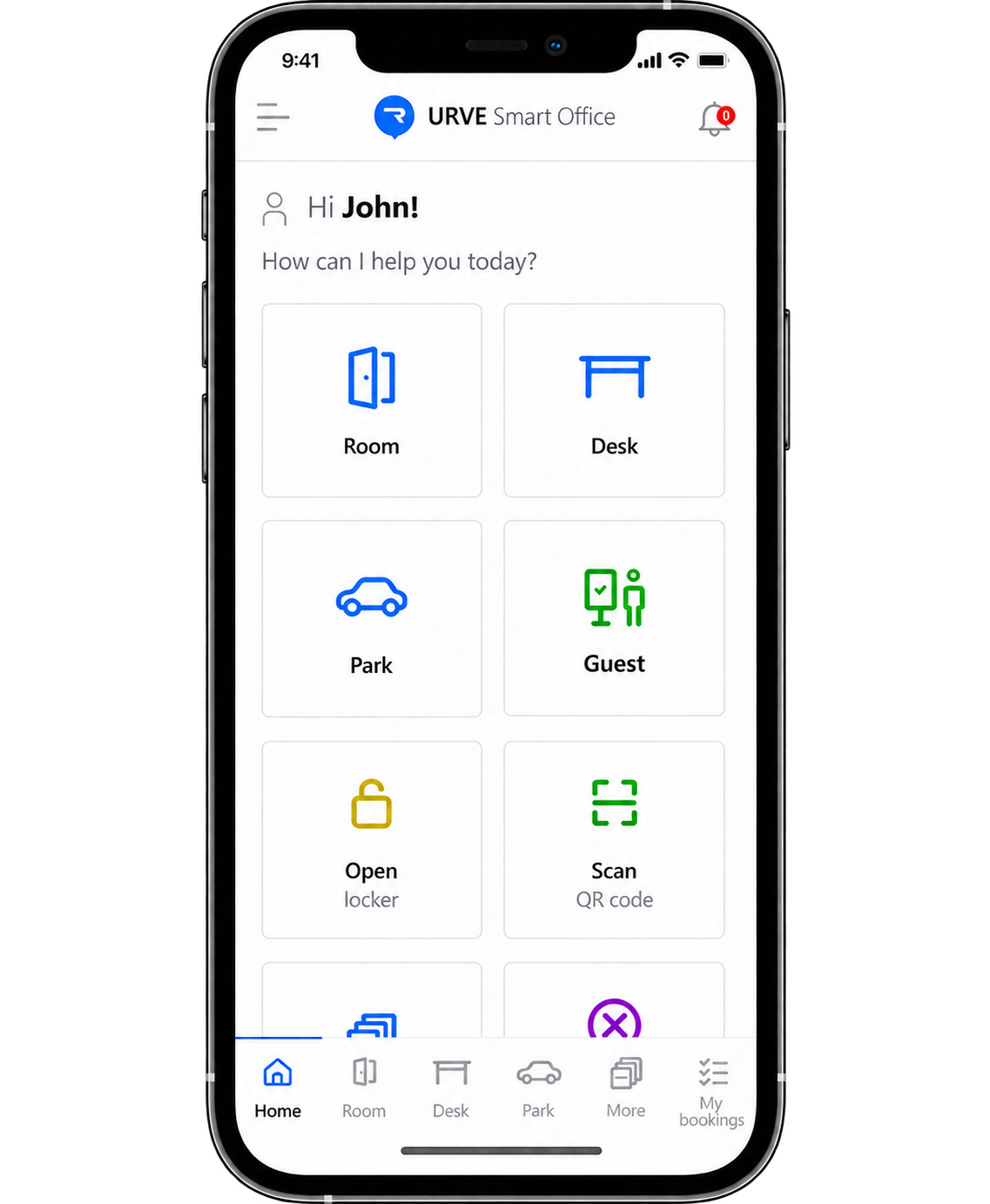
Check space availability, plan your visit and manage your bookings in the URVE Smart Office app.

  • Choose available resources and time slots.
  • Change or cancel your bookings.
  • Invite guests to meetings.

Manage spaces and usage rules

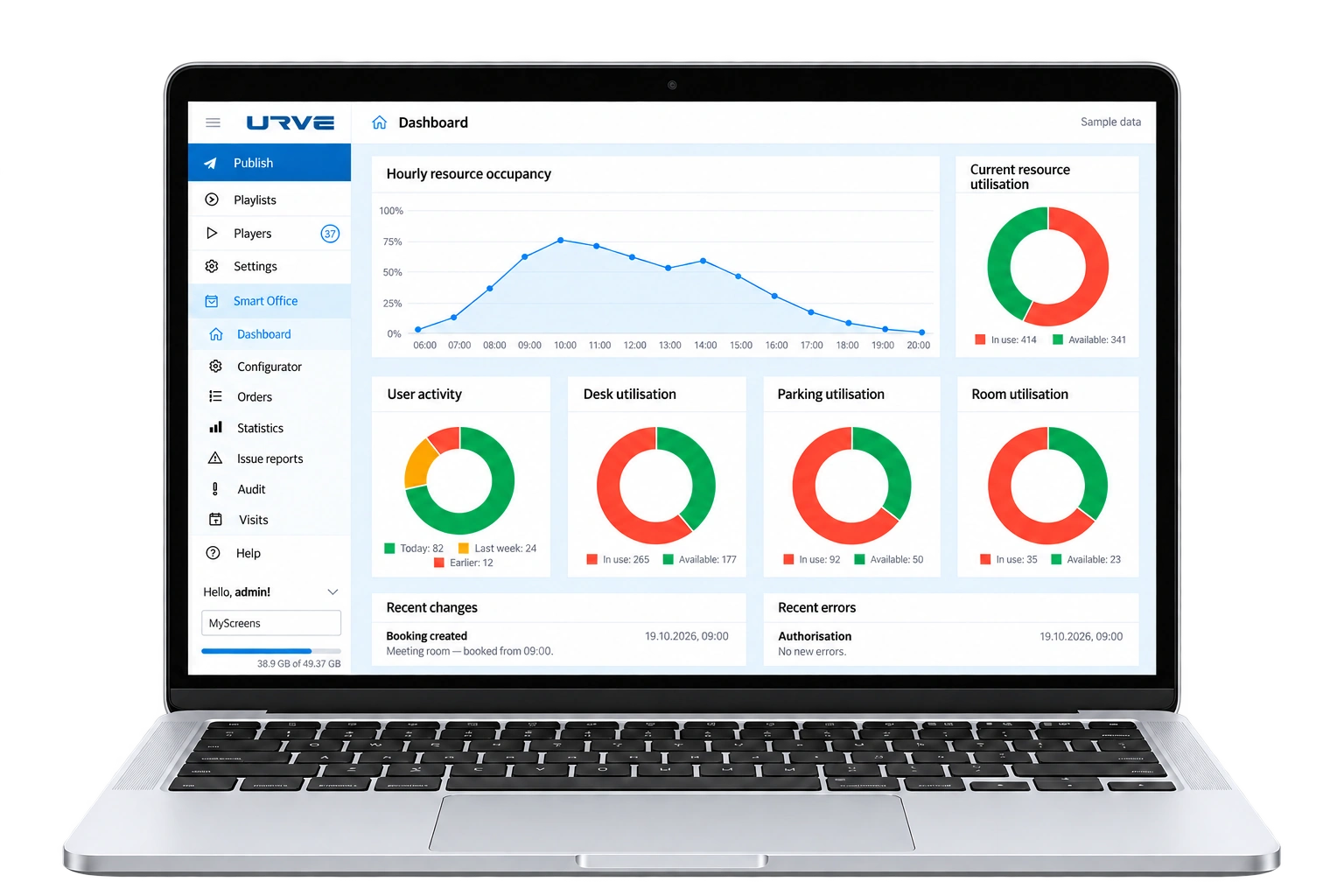
Define who can use resources and under what conditions. Analyse usage and adapt the layout of your spaces to users’ needs.

  • Manage resources and permissions.
  • Configure booking rules.
  • Access space utilisation reports.
SPACE AND ESG

Use space wisely. Support ESG goals.

Smart Building helps you make better use of space, improve the everyday office experience and make data-driven decisions. The right combination of modules and integrations can support selected ESG goals.

Energy efficiency and space optimisation (E)

Reducing the number of unused workstations and limiting energy consumption in unoccupied areas supports BREEAM and LEED criteria.

Improving employee comfort and health (S)

An intuitive booking system and smart management of the working environment align with the principles of the WELL Building Standard.

Transparency and governance (G)

Office utilisation reports support informed decision-making and can form part of the documentation for certification processes such as DGNB or Passivhaus.

Smart digital infrastructure

Providing a user-friendly system for users and administrators contributes positively to SmartScore and WiredScore certification scores.

CLIENTS AND PARTNERS

Partnerships built on experience and trust.

We help building managers and tenants connect visitor management, space booking and building systems in one platform, with a scope tailored to each organisation’s needs.

INTEGRATIONS

Connect Smart Building with the systems you already use.

We tailor the scope of integration to the systems and devices in your building.

Access control and parking

Connect user and booking management with access control systems and devices that manage vehicle entry to the car park.

Building automation (BMS)

Link selected processes to lighting or air conditioning – depending on the capabilities of your BMS and building infrastructure.

Microsoft 365

Enable resource booking in Outlook and Microsoft Teams so employees can use familiar tools.

HOW WE WORK TOGETHER

What does a Smart Building implementation involve?

We start with your users’ needs and your building’s capabilities. Based on these, we define the scope of the solution and plan each stage of implementation.

01

Understanding your needs

We identify what you want to improve, who will use the system and which processes need support.

02

Technical assessment

We review your existing infrastructure, integration options and IT department’s requirements.

03

Scope and implementation

We present the proposed modules, scope of work, pricing and a schedule tailored to your project.

04

Configuration and launch

Once the scope is approved, we configure the solution, implement the agreed integrations and prepare the system for use.

QUESTIONS AND ANSWERS

Frequently asked questions about Smart Building

Planning to implement Smart Building? Find answers to questions about available modules, integration with building infrastructure, costs and the implementation process.

Yes. We tailor the solution to your building’s infrastructure. Before implementation, we assess integration options with existing systems and determine whether any additional devices or preparatory work will be needed.

No. You can start with selected areas, such as parking space booking, visitor management or workspace management. We take future expansion into account when planning your solution.

Smart Building can work with a BMS, connecting selected user processes with building automation. The scope of integration depends on the technical capabilities of both systems and the building’s infrastructure.

During the needs assessment, we define how the system will serve the building manager and tenants, how resources will be allocated and the rules for using shared areas. Based on this, we determine the required configuration and permissions.

Yes. The system is available as a cloud-based SaaS solution or as an on-premises installation on your organisation’s infrastructure. The choice depends on IT requirements, security policies and the scope of implementation. During the consultation, we also agree on responsibilities for system maintenance, updates and support.

The cost depends on the selected modules, the number of resources managed, the deployment model and the scope of integrations and hardware required. We prepare a quote after assessing your needs and technical requirements.

The timeline depends on the scale of the project, infrastructure readiness and the required integrations. We agree on a schedule after completing the technical assessment and defining the scope of work.